web
You’re offline. This is a read only version of the page.
close
Skip to main content

Notifications

Announcements

No record found.

Community site session details

Community site session details

Session Id :
Service | Customer Service, Contact Center, Fie...
Answered

Trigger resolve case dialog when click on button finish in business process flow

(1) ShareShare
ReportReport
Posted on by 282

Hi

i created a custom business process flow in case entity.

the last stage in the BPF is named "Resolution".

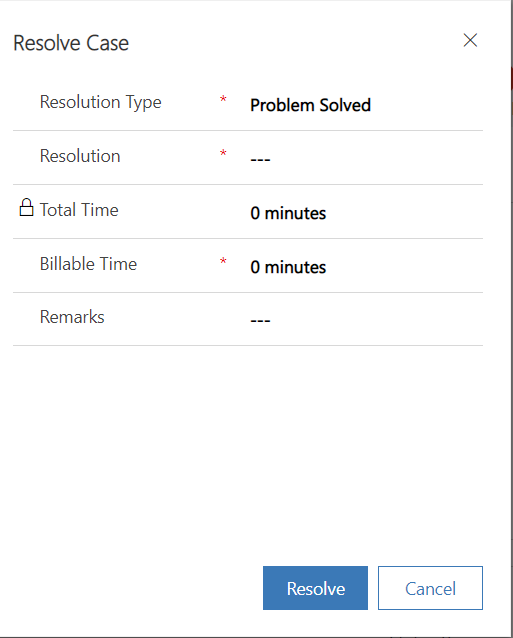
I want to trigger the case resolution dialog when Clicking on finish button of the BPF.

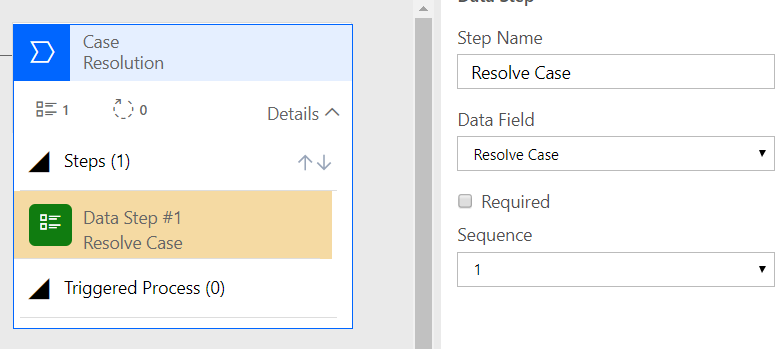
I tried to add the data step : Resolve Case, but it do not appear in the BPF.
empty-data-step.PNG

here is the setup i made in the bpf

setup-resolution.PNG

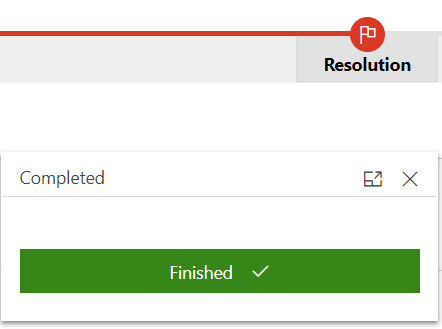
And when i click on finish, nothing happens.

What i am trying to acheive is to pop up the dialog case resolution when the bpf is finishing.
resolve-dialog.PNG

Is there a way to do this ? thanks.

I have the same question (0)
  • Verified answer
    LeoAlt Profile Picture
    16,331 Moderator on at

    Hi partner,

    Unfortunately we could not open the case resolve dialog directly by code or OOB function expect clicking on "Resolve Case" button.

    But you could refer to this way.

    1.Create fields that you will fill value in Case Resolve dialog like "remark", "resolution".... and set the value in them before you go to Finish stage in BPF.

    2.Create an on-demand workflow and trigger the case resolve action in it, then set the value of the fields you created on  the form as default value to fields on case resolve dialog.

    pastedimage1587541087145v1.png

    pastedimage1587541119906v2.png

    pastedimage1587541147957v3.png

    3.Go the the BPF editor, and add a new workflow action in Finish stage.

    pastedimage1587541192457v4.png

    Best Regards,

    Leo

  • saad nadir Profile Picture
    282 on at

    Thanks for the reply, i will use this solution.

  • Community Member Profile Picture
    on at

    Hi 

    I have created the resolution and billable time field for case entity, But flow not triggering when resolving case. Here one more doubt where I can see the resolution input. Kindly help me.

    pastedimage1587701241150v3.png

    pastedimage1587701306953v4.png

    pastedimage1587701152283v1.png

    pastedimage1587701192792v2.png

    Thank you

    vetrivel G

  • jazucco Profile Picture
    25 on at

    I tried this approach. However, when I click the "Finish" button nothing happens. Have there been changes in Dynamics 365 that may have caused this approach not to work anymore?

    pastedimage1676423234573v1.png

    pastedimage1676423341170v2.png

  • XM-22040801-0 Profile Picture
    11 on at

    Hello,

    The workflow must be registered on "Process finished" trigger in "Global workflow" (bottom right of the BPF editor).

Under review

Thank you for your reply! To ensure a great experience for everyone, your content is awaiting approval by our Community Managers. Please check back later.

Helpful resources

Quick Links

Responsible AI policies

As AI tools become more common, we’re introducing a Responsible AI Use…

Neeraj Kumar – Community Spotlight

We are honored to recognize Neeraj Kumar as our Community Spotlight honoree for…

Leaderboard > Service | Customer Service, Contact Center, Field Service, Guides

#1
Tom_Gioielli Profile Picture

Tom_Gioielli 45 Super User 2025 Season 2

#2
Daniyal Khaleel Profile Picture

Daniyal Khaleel 27 Most Valuable Professional

#3
Soundari Profile Picture

Soundari 15

Last 30 days Overall leaderboard

Featured topics

Product updates

Dynamics 365 release plans