web
You’re offline. This is a read only version of the page.
close
Skip to main content

Notifications

Announcements

No record found.

Community site session details

Community site session details

Session Id :
Microsoft Dynamics AX (Archived)

Font size too small for only one user and only some section

(0) ShareShare
ReportReport
Posted on by

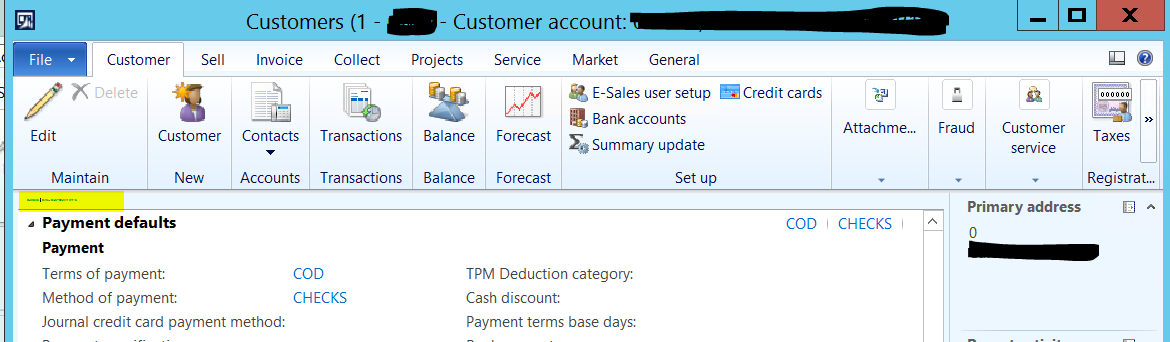
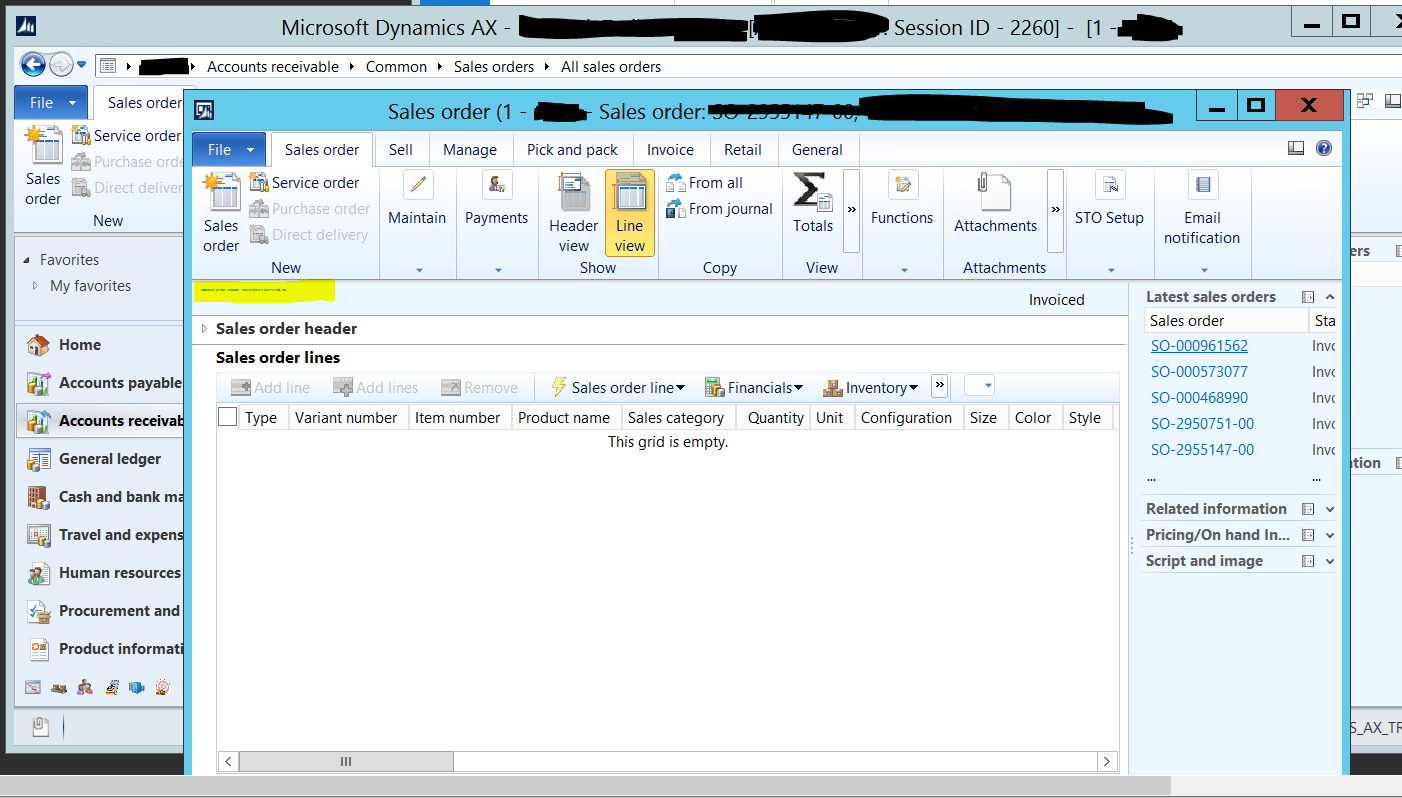
I have a user where only in titles, the font size is ridiculy small. It only happens with that user and in Form Titles. 

This is nothing related with display scaling on high DPI screens and RDP. 

There was a post related: https://community.dynamics.com/ax/f/microsoft-dynamics-ax-forum/189862/font-size-shows-very-large-for-1-user-in-ax?pifragment-96834=2#responses

but had no solution. 
pastedimage1569553506436v1.png

Another example

pastedimage1569554035018v2.png

*This post is locked for comments

I have the same question (0)
  • Shristi_MP Profile Picture
    64 on at

    Hi Ottovos,

    We get the same issue here. I resolve it by right-clicking on my AX Dynamics Icon and selecting Properties > Compatibility and ticking Override high DPI scaling Behaviour with the options of Scaling Performed by: set to System.

    DPI.JPG

    Hope this helps.

    Regards

  • Community Member Profile Picture
    on at

    Shristi,

    thanks for your reply.

    Unfortunatly, the user access the application through Win Server 2012, where I don't see the 'Scaling performed by' section:

    pastedimage1569822463147v1.png

    Any other suggestion?

    Other forums have suggested that this is something related with the user settings in the machine. Do you have any insight on this idea?

    Thanks

  • Suggested answer
    Community Member Profile Picture
    on at

    Deleting and creating the user in AX again reset the settings for this user. This solved the problem. We are looking a way to prevent this. How are settings like this changed?

  • Verified answer
    Khushhal Garg Profile Picture
    1,514 on at

    I have observed this behavior not for font size but for other user related stuff too and it is due to caching at user level and it can be due to various reasons. Deleting and recreating user helps in such cases if clearing usage data doesn't help.

    Also, if it answered your questions, can you mark my suggestions YES

  • Verified answer
    Khushhal Garg Profile Picture
    1,514 on at

    Check display settings on users machine. If those are correct, can you try deleting and adding user again in AX?

Under review

Thank you for your reply! To ensure a great experience for everyone, your content is awaiting approval by our Community Managers. Please check back later.

Helpful resources

Quick Links

Responsible AI policies

As AI tools become more common, we’re introducing a Responsible AI Use…

Neeraj Kumar – Community Spotlight

We are honored to recognize Neeraj Kumar as our Community Spotlight honoree for…

Leaderboard > 🔒一 Microsoft Dynamics AX (Archived)

#1
Martin Dráb Profile Picture

Martin Dráb 4 Most Valuable Professional

#1
Priya_K Profile Picture

Priya_K 4

#3
MyDynamicsNAV Profile Picture

MyDynamicsNAV 2

Last 30 days Overall leaderboard

Featured topics

Product updates

Dynamics 365 release plans