web
You’re offline. This is a read only version of the page.
close
Skip to main content

Notifications

Announcements

No record found.

Community site session details

Community site session details

Session Id :
Customer Service forum

Portal configuration deployer - missing navigation in Portal

(0) ShareShare
ReportReport
Posted on by 1,338

Hi, 

I am currently using the XRM Toolbox Portal Deployer tool to migrate a portal from one environment to another, whilst I am aware the config can be a trial and error process when I do a test deployment to a brand new environment all the sitemap navigation is removed, I can't seem to find any way around this or to get it back, even if I reset the Portal entirely it's still not recoverable. 
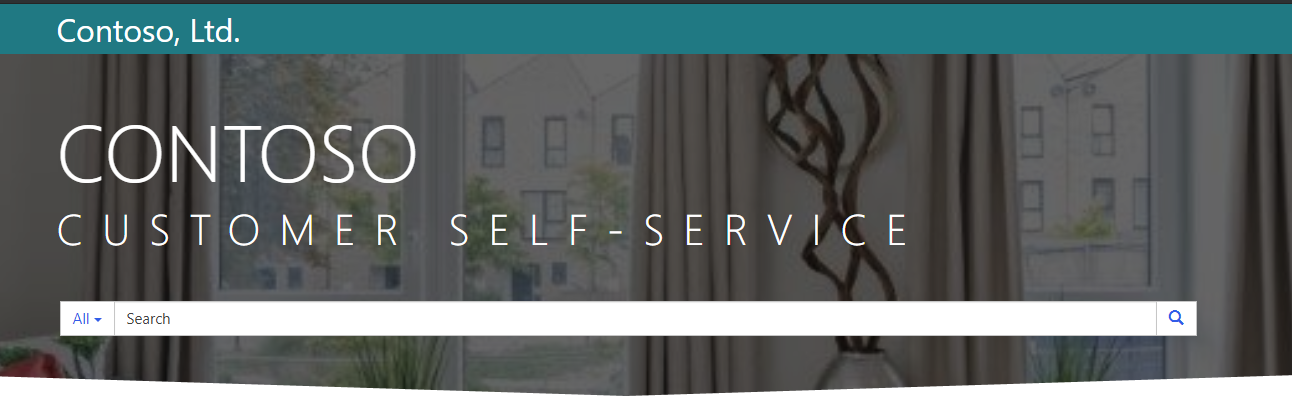
2019_2D00_05_2D00_26-23_5F00_39_5F00_29_2D00_Window.png

Is there any suggestions for using the tool, do you need to manually add each entity separately any ideas what could be causing this to happen? 

Thank you 

Categories:
I have the same question (0)
  • Suggested answer
    LeoAlt Profile Picture
    16,331 Moderator on at

    Hi Justin,

    I tried the tool in my instance and everything worked well.

    You could refer to the description of this tool here.

    https://s3-us-east-2.amazonaws.com/uds.systema.site/uds.systems/uploads/20180912101108/XrmToolBox-User-Guide.pdf

    And you could also try to use Portal Checker.

    community487.png

    By the way, did you meet any issue when importing the entities?

    community487.png

    Hope it helps.

    Best Regards,

    Leo

  • Justin Wilkinson Profile Picture
    1,338 on at

    Leo, is there any chance I could have a quick skype call with you to run through the current migration and show you what I am doing- it would be a massive help!

  • LeoAlt Profile Picture
    16,331 Moderator on at

    Hi Justin,

    According to our policies and restrictions, we could only communicate on the forum.

    Thanks for your understanding and recognition :-)

    Best Regards,

    Leo

  • Justin Wilkinson Profile Picture
    1,338 on at

    Thank you Leo, totally understand!

    I really appreciate your help with everything could I get your opinion on a separate issue I am having: community.dynamics.com/.../349700

  • Suggested answer
    Community Member Profile Picture
    on at

    Hi Justin,

    For portal configuration migration I am using the Dynamics 365 v9 "DataMigrationUtility" found in the SDK and has proved to migrate the data with no issues.

    DMT.PNG

    Just to ensure that I am relying on the schema file provided by Microsoft, which can be downloaded using the below URL (contains predefined entities used by Dynamics Portal)

    https://docs.microsoft.com/en-us/dynamics365/customer-engagement/portals/migrate-portal-configuration

    Regards,

    Hope it helps! If it does, please mark this answer as Verified, this will be greatly appreciated :)

Under review

Thank you for your reply! To ensure a great experience for everyone, your content is awaiting approval by our Community Managers. Please check back later.

Helpful resources

Quick Links

November Spotlight Star - Khushbu Rajvi

Congratulations to a top community star!

Forum Structure Changes Coming on 11/8!

In our never-ending quest to help the Dynamics 365 Community members get answers faster …

Dynamics 365 Community Platform update – Oct 28

Welcome to the next edition of the Community Platform Update. This is a status …

Leaderboard > Customer Service

Last 30 days Overall leaderboard

Featured topics

Product updates

Dynamics 365 release plans



