web
You’re offline. This is a read only version of the page.
close
Skip to main content

Announcements

News and Announcements icon
Community site session details

Community site session details

Session Id :
Microsoft Dynamics AX (Archived)

Install Security Development Tool

(0) ShareShare
ReportReport
Posted on by 2,259

Hello all!

I installed the Security Development Tool model in AX and did the Compiling and Synchronizing,

I can see the model in Installed Models but the tool is not appearing in Dynamics AX. as shown,
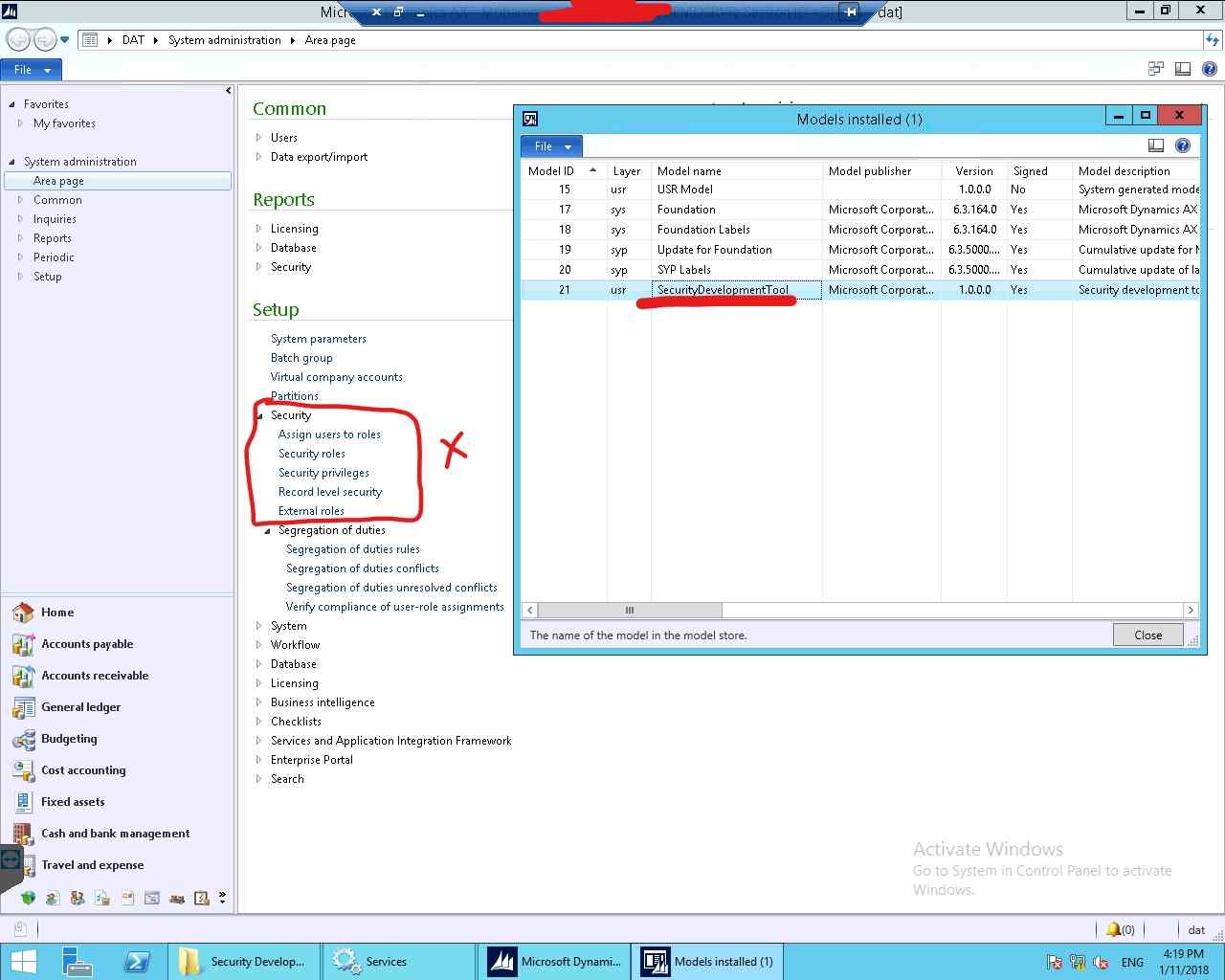
InkedSecurity_5F00_LI.jpg

does anyone know if I'm missing something here.

I already installed it before successfully in another environment but it didn't go well this time.

thanks in advance.

*This post is locked for comments

I have the same question (0)
  • Verified answer
    André Arnaud de Calavon Profile Picture
    305,561 Super User 2026 Season 1 on at

    Hi Wasim,

    You have to add the menu items yourself manually or use a class which can create them for you. Have a look at my blog how to: kaya-consulting.com/ax-2012-security-development-tool-part-1

  • w.sallam Profile Picture
    2,259 on at

    Hi André

    thanks a lot for your blog.

    worked like magic.

Under review

Thank you for your reply! To ensure a great experience for everyone, your content is awaiting approval by our Community Managers. Please check back later.

Helpful resources

Quick Links

Season of Sharing Community Challenge Launch!

Jump in, show your community spirit, and win prizes!

Women in Power Builds Momentum

Expanding mentorship, skilling, and AI innovation

Congratulations to the May Top 10 Community Leaders

These are the community rock stars!

Leaderboard > 🔒一 Microsoft Dynamics AX (Archived)

#1
CP04-islander Profile Picture

CP04-islander 21

#2
dserp Profile Picture

dserp 4

#2
dekion Profile Picture

dekion 4

Last 30 days Overall leaderboard

Featured topics

Product updates

Dynamics 365 release plans



