web
You’re offline. This is a read only version of the page.
close
Skip to main content

Announcements

News and Announcements icon
Community site session details

Community site session details

Session Id :
Customer experience | Sales, Customer Insights,...
Answered

How to send email to a lead once lead is created - CRM 365

(1) ShareShare
ReportReport
Posted on by 20

Hello everyone,

I'm currently working on a business process where an user fill up the enquiry form it gets created as a lead in our CRM 365. My task is to create a Process which will send an email confirmation to the email ID the newly created lead. I have created a process on Entity = Leads, and the condition is when Lead status = New and on the next step send email. However i'm unable to select email ID in "To" field of the email as "Leads Email ID". I'm very new to dynamics so please ignore if i'm missing something and guide me to a right direction on how can i achieve the above process.

Many thanks for your time.

Regards,

Biswa

I have the same question (0)
  • Verified answer
    LuHao Profile Picture
    40,892 on at

    Hi Biswad,

    Please follow these steps.

    1. Go to Advanced Settings > Processes, new. Select workflow and Lead.
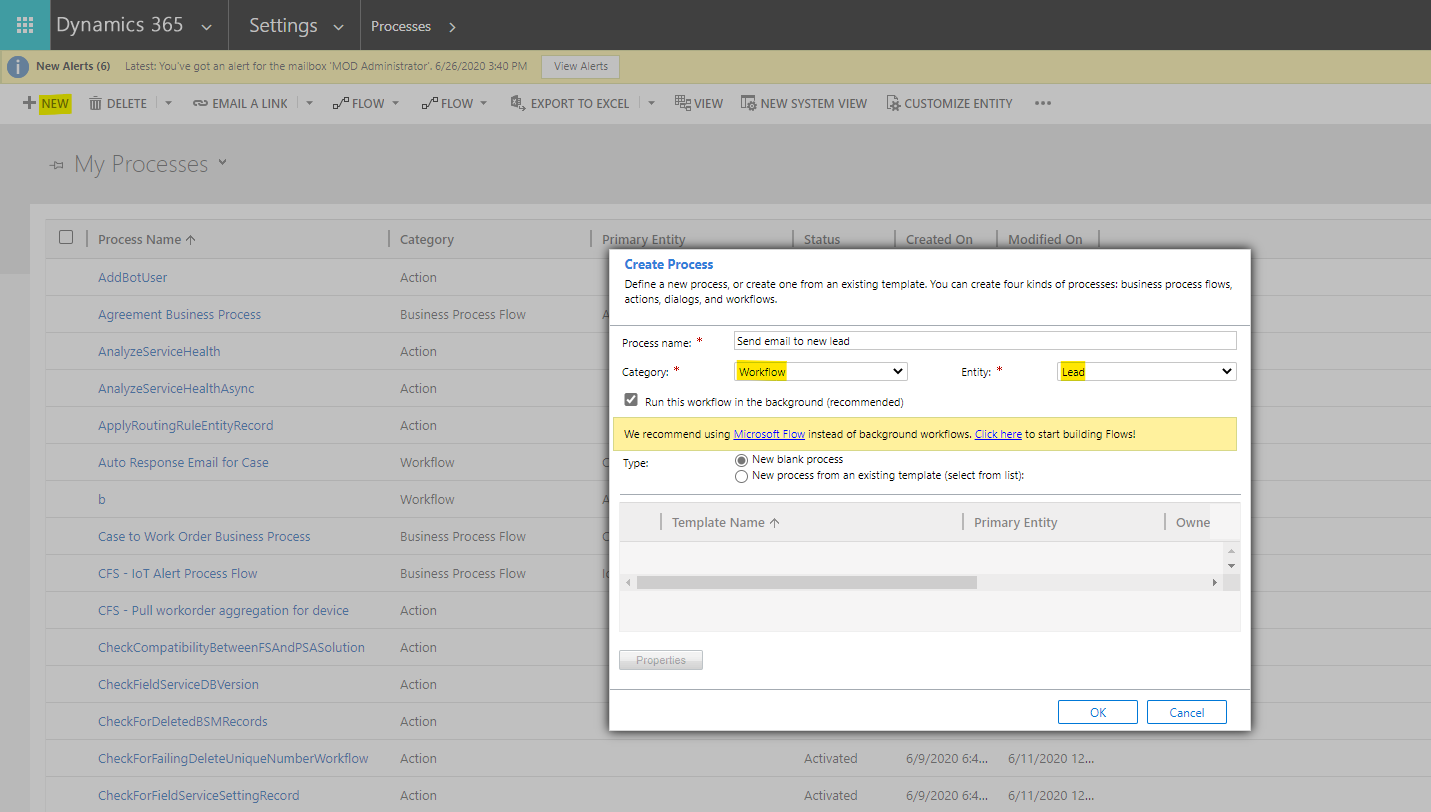
    pastedimage1594286303369v1.png

    2. In the workflow editor, select Scope to Organization. Add step "Send Email".
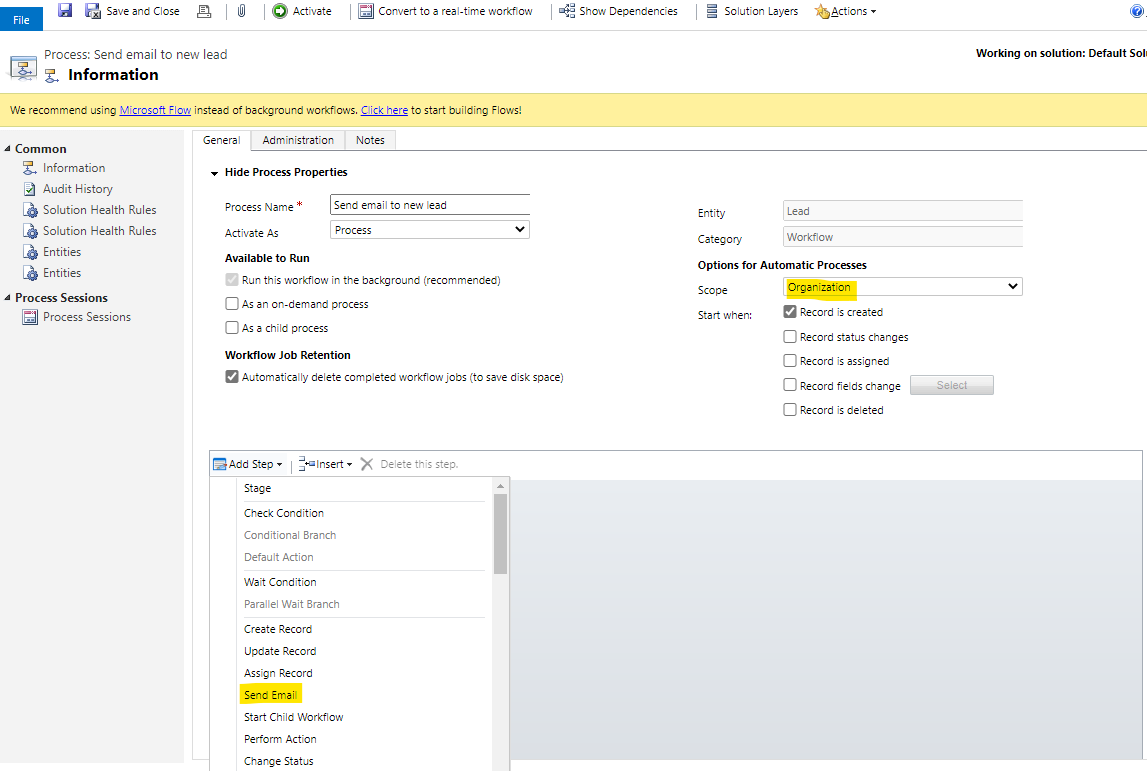
    pastedimage1594286393069v2.png

    3. Click Set Propertie. Set the email as follow.
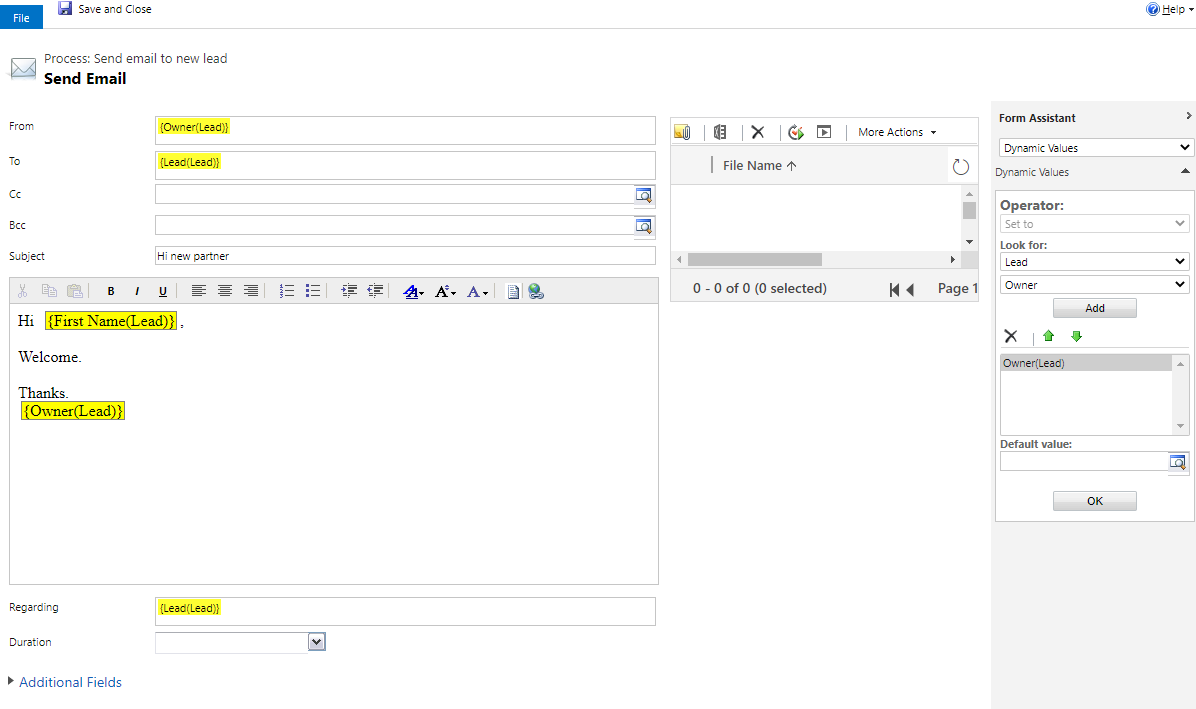
    pastedimage1594286517430v3.png

    Please note that when you want to send an email to a contact or lead, the "To" field should be the contact or lead rather than its email address. (Only for D365 workflow, the "To" field in power automate is the email address)

    4. Activate the workflow.
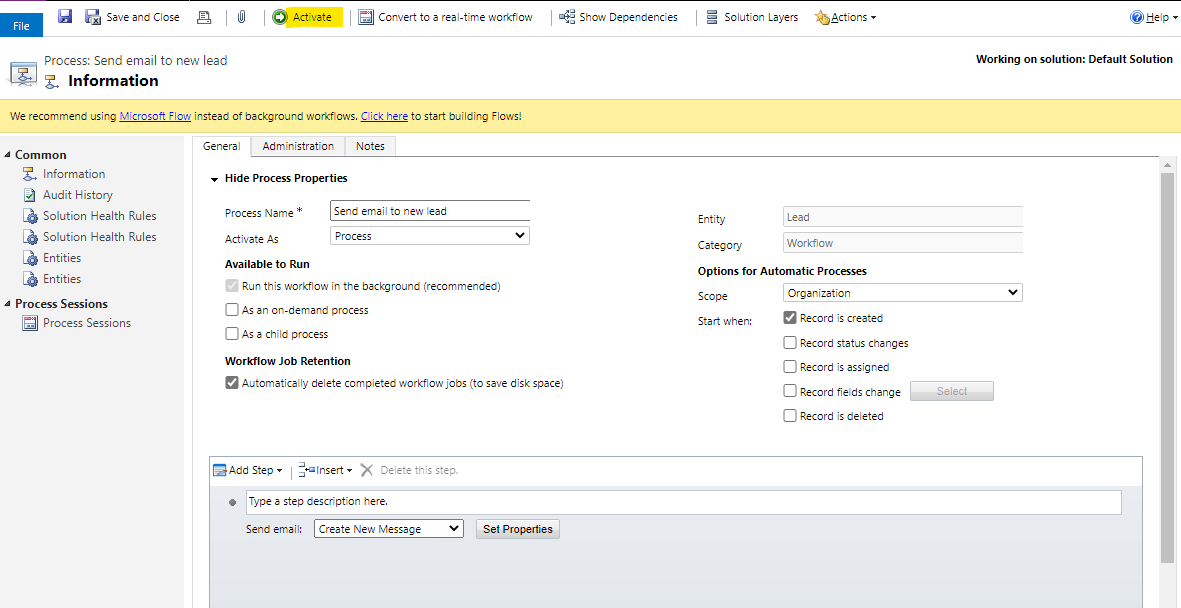
    pastedimage1594286859323v4.png

  • Suggested answer
    Bipin D365 Profile Picture
    28,985 Moderator on at

    Hi,

    have you created custom field Leads Email ID on lead entity?

    You should use OOB email address field and set the TO field in workflow as described by Lu Hao.

    If you are populating custom field from your enquiry form. You should create business rule to Update the email address field data from custom field to OOB.

    When you set TO as lead in workflow, it will consider OOB email adress field. Custom field will not be considered and you will get error message.

    If found helpful, Please mark my answer verified.

  • Biswad Profile Picture
    20 on at

    You are a Hero for me brother.. It work like a charm.. :) Thank you very much for your help...

  • Biswad Profile Picture
    20 on at

    Thanks for trying to help me out. We already have a leads email ID on lead entity. Hao's solution worked like a charm.

Under review

Thank you for your reply! To ensure a great experience for everyone, your content is awaiting approval by our Community Managers. Please check back later.

Helpful resources

Quick Links

Season of Sharing Community Challenge Launch!

Jump in, show your community spirit, and win prizes!

Women in Power Builds Momentum

Expanding mentorship, skilling, and AI innovation

Congratulations to the May Top 10 Community Leaders

These are the community rock stars!

Leaderboard > Customer experience | Sales, Customer Insights, CRM

#1
Hamza H Profile Picture

Hamza H 142 Super User 2026 Season 1

#2
Nagaraju_Matta Profile Picture

Nagaraju_Matta 128

#3
11manish Profile Picture

11manish 119

Last 30 days Overall leaderboard

Product updates

Dynamics 365 release plans



