web
You’re offline. This is a read only version of the page.
close
Skip to main content

Notifications

Announcements

No record found.

Community site session details

Community site session details

Session Id :
Finance | Project Operations, Human Resources, ...
Answered

Import Entity with CSV in D365FO: Source data format error

(0) ShareShare
ReportReport
Posted on by

Hey there

I try to import my .csv file that exported from the standard microsoft entity "Security User Role Association", however it doesn't want to accept my file to be imported. It says:

"There are field(s) which are not mapped to Entity." 

While looking up the internet to solve this problem, I found "in fixed width format with 'First row header' set to 'No' (in source data formats set up), the exported template will not have the column names. When this file is imported, it will result in this error."
pastedimage1576689330032v1.png

However, I have no idea where to find the 'source data formats' setup, so far Google wasn't clear on it as well.

Maybe you have any suggestions how to adjust the 'source data format' (or any other way to let the import succeed, because that's what I try to accomplish)?

Kind regards,

Igor

I have the same question (0)
  • Suggested answer
    Satish Panwar Profile Picture
    14,671 Moderator on at

    Click on 'View map'.. triangle icon and then see what's not mapped and do mapping there. doesn't look like it's related to format. Share your file if you can

  • Suggested answer
    nmaenpaa Profile Picture
    101,160 Moderator on at

    It's good to export the same entity to get a sample file, and use it as a template where you put your data for import.

    Also, check the mapping on the data project as suggested above.

  • Suggested answer
    nmaenpaa Profile Picture
    101,160 Moderator on at

    One more thing, the "First row header" is available in export data project, when adding a new entity to a project.

  • Community Member Profile Picture
    on at

    Hey, thanks for the fast reply!

    Well the mapping is clearly a mess. Left shows probably the .CSV source,however, I split the file in columns trying to solve the problem, but it didn't work out.

    I uploaded it as .xlsx, since uploading the .csv gave me an error.


    [View:/cfs-file/__key/communityserver-discussions-components-files/765/SysSecUserRoleExport_2D00_Security-user-role-association_5F00_TEST.xlsx]

    This is what the mapping currently looks like:

    pastedimage1576691787976v1.png

    Kind regards,

    Igor

  • Community Member Profile Picture
    on at

    pastedimage1576692564336v1.png

    I added the entity again to the Export group, however I can't see this 'First row as header' option anywhere.

    Kind regards,

    Igor

  • Suggested answer
    Sergei Minozhenko Profile Picture
    23,093 on at

    Hi,

    Have you tried to use SemicolonSeparated source format? Looks like you use a semicolon as the separator, but CSV source format use a comma as the delimiter (at least in my environment).

    BR, Sergey

  • Verified answer
    Satish Panwar Profile Picture
    14,671 Moderator on at

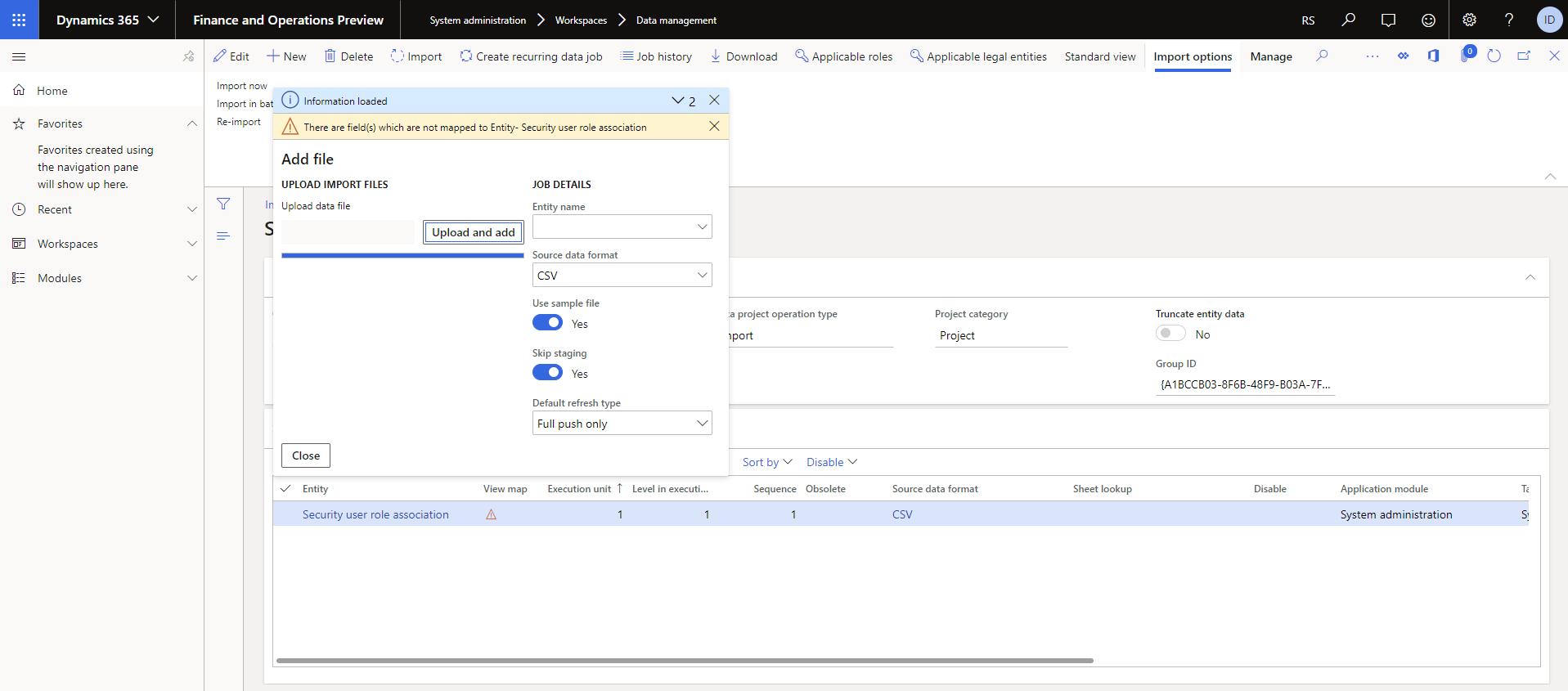
    Here is what i did and it loaded the mappings correct. Don't use existing import project... Downloaded your spreadsheet (Excel).

    create a new one.

    Add file > 

    pastedimage1576692838561v2.png

    click upload and add and browse file. and click ok...Once loaded, then go to mapping.. all good. Give this a try.

    pastedimage1576692780509v1.png

  • Community Member Profile Picture
    on at

    Worked perfectly! Thanks.

Under review

Thank you for your reply! To ensure a great experience for everyone, your content is awaiting approval by our Community Managers. Please check back later.

Helpful resources

Quick Links

Responsible AI policies

As AI tools become more common, we’re introducing a Responsible AI Use…

Neeraj Kumar – Community Spotlight

We are honored to recognize Neeraj Kumar as our Community Spotlight honoree for…

Leaderboard > Finance | Project Operations, Human Resources, AX, GP, SL

#1
Martin Dráb Profile Picture

Martin Dráb 611 Most Valuable Professional

#2
André Arnaud de Calavon Profile Picture

André Arnaud de Cal... 529 Super User 2025 Season 2

#3
Sohaib Cheema Profile Picture

Sohaib Cheema 285 User Group Leader

Last 30 days Overall leaderboard

Product updates

Dynamics 365 release plans



