web
You’re offline. This is a read only version of the page.
close
Skip to main content

Notifications

Announcements

No record found.

Community site session details

Community site session details

Session Id :
Customer experience | Sales, Customer Insights,...
Answered

Ms flow is not giving any response after successfully run

(0) ShareShare
ReportReport
Posted on by 425

Hi ,

I have a ms flow, through which I am creating the records under the legal name entity.

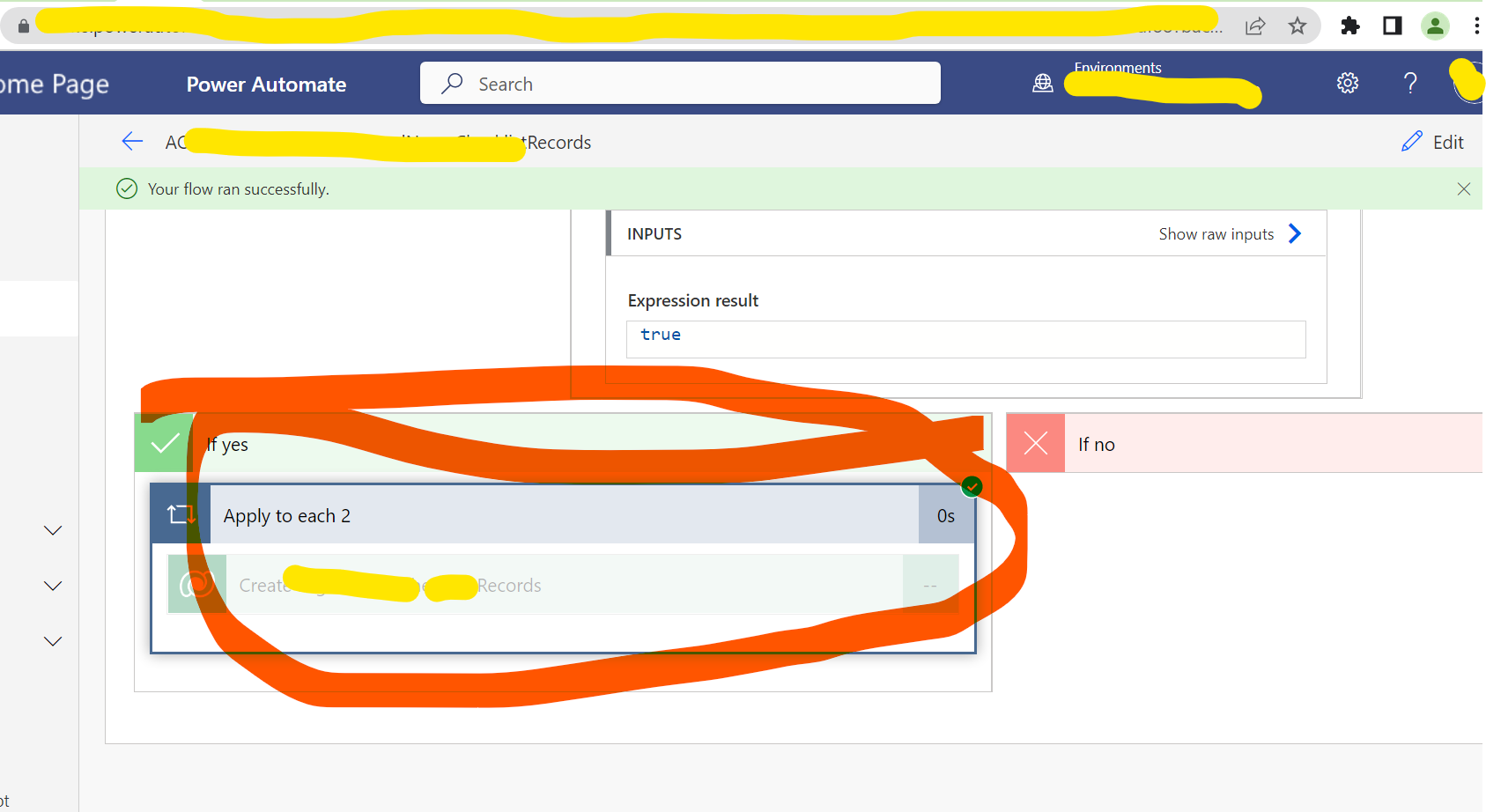
My flow is successfully getting run but not creating the record, In past it was working fine .
pastedimage1672912614418v1.png

In above ss, you can see that my condition is getting true and it's not giving any response.
pastedimage1672912799804v2.png

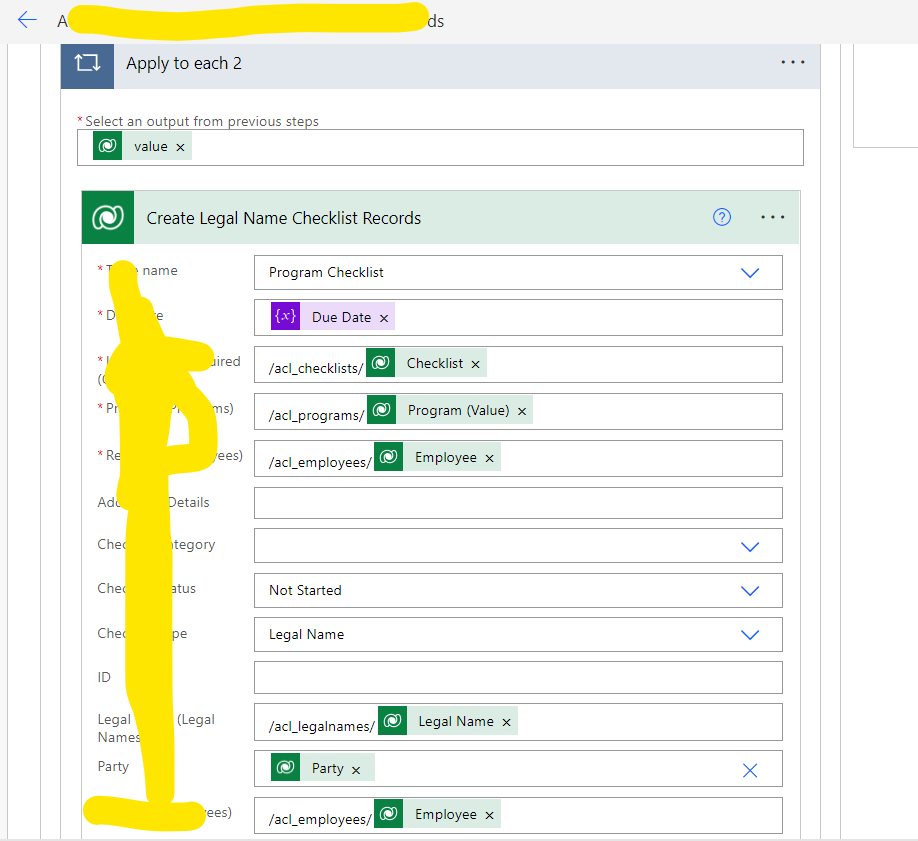
these are the columns, I have filled in this step
pastedimage1672919750969v1.png

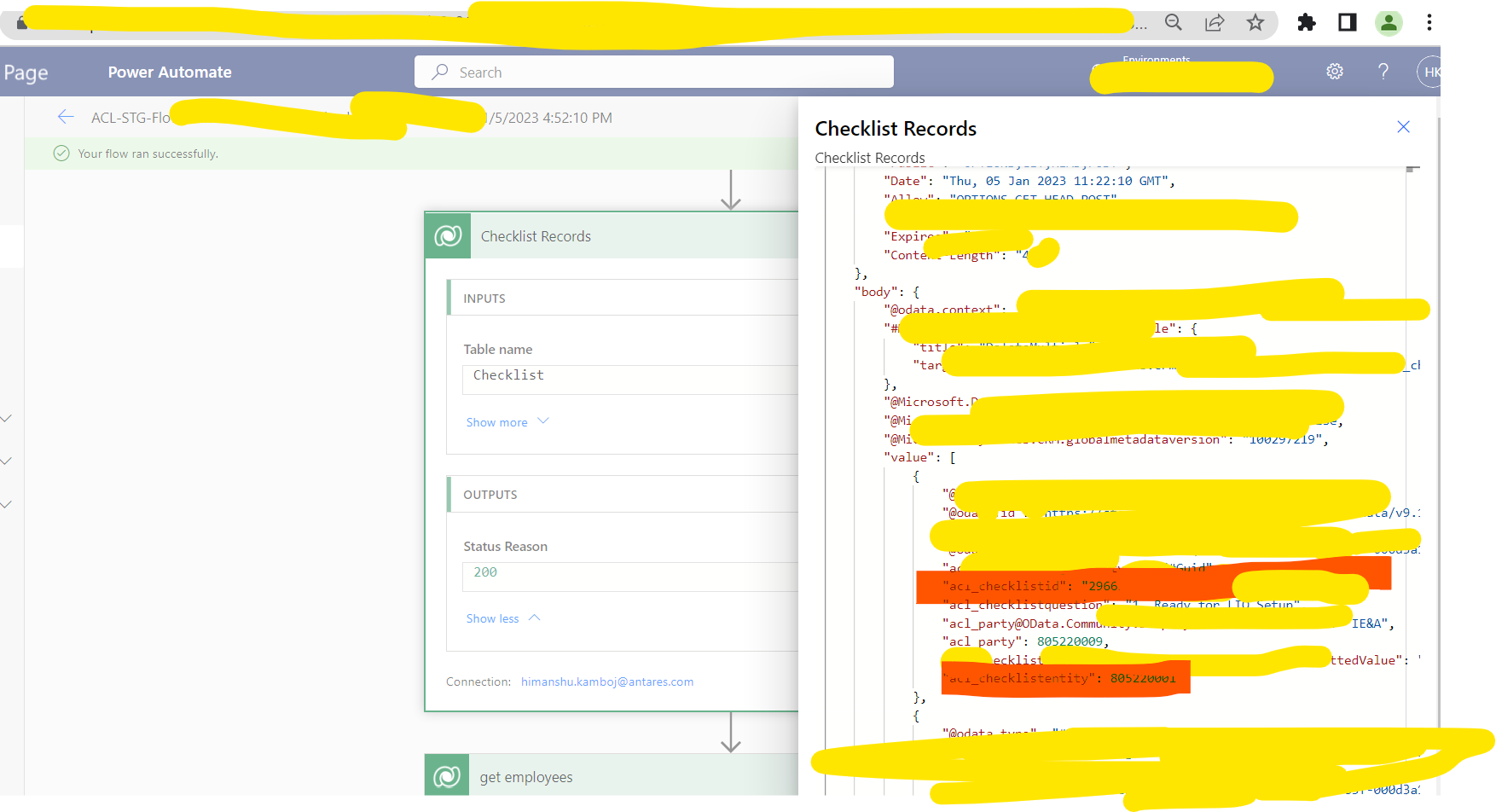
Attached the latest SS. you can see it his ss red highlighted are the values which I want and I am checking in the condition.

I have the same question (0)
  • Verified answer
    Mohamed GRAIB Profile Picture
    2,504 Moderator on at

    Hi,

    I think that you try to insert a Value Nul in a lookup field.

    If you mention all fields, that will be executed.

    Can you confirm this ? That permit us to propose you a solution

  • Himanshu Kamboj Profile Picture
    425 on at

    Hi Graib,

    I have checked it , I using right values for lookup field not any nul value. And this same flow is working fine in dev environment.

  • Suggested answer
    Mohamed GRAIB Profile Picture
    2,504 Moderator on at

    Hi Himanshu,

    If that's work on DEV,

    Create a solution on your DEV environment, add your flow in the solution, then import your solution in your target environment.

    Tell us if that's will work

  • Suggested answer
    Abdul Wahab Profile Picture
    12,119 Moderator on at

    Hi Himanshu Kamboj,

    It seems 'apply to each' has nothing to parse when it has something it should look as similar to the below

    pastedimage1672917997782v1.png

    Please check the run history of the component associated with 'apply to each'. 

  • Himanshu Kamboj Profile Picture
    425 on at

    hi wahab ,

    Apply to each have data to parse, that condition is getting true in apply to each only and I have checked the output data in run history, that list row which is creating apply to each, contains the id and values .

  • Suggested answer
    Abdul Wahab Profile Picture
    12,119 Moderator on at

    Hi Himanshu Kamboj,

    Share a screenshot, please.

  • Himanshu Kamboj Profile Picture
    425 on at

    Hi GRAIB,

    I got the fault , list raw 2 is not giving any data means apply to each 2 getting the null lookup value.

  • Abdul Wahab Profile Picture
    12,119 Moderator on at

    Hi Himanshu Kamboj,

    I am very much surprised by the selection of a verified answer.

  • Mohamed GRAIB Profile Picture
    2,504 Moderator on at

    Abdul Wahab It's a verification not a solution,

    The issue will not be eliminated if they will not add an expression (I added it in the community in the past)

    But I had this issue several times and the cause was " the lookup field is Nul"

  • Abdul Wahab Profile Picture
    12,119 Moderator on at

    Hi Mohamed GRAIB,

    Sounds good.

Under review

Thank you for your reply! To ensure a great experience for everyone, your content is awaiting approval by our Community Managers. Please check back later.

Helpful resources

Quick Links

Responsible AI policies

As AI tools become more common, we’re introducing a Responsible AI Use…

Neeraj Kumar – Community Spotlight

We are honored to recognize Neeraj Kumar as our Community Spotlight honoree for…

Leaderboard > Customer experience | Sales, Customer Insights, CRM

#1
Tom_Gioielli Profile Picture

Tom_Gioielli 81 Super User 2025 Season 2

#2
Gerardo Rentería García Profile Picture

Gerardo Rentería Ga... 49 Most Valuable Professional

#3
#ManoVerse Profile Picture

#ManoVerse 40

Last 30 days Overall leaderboard

Product updates

Dynamics 365 release plans
