




 21
21 Like
Like Share
Share
 Report
BPA refresher
Who knows not about the amazing capabilities of Dynamics365 BPA?
Dynamics 365 Business Performance Analytics (BPA) is a Built-In, no cost reporting and analytics hub for Dynamics 365 Finance & Operations that provides pre-built, high-speed reports for financial and operational data. It enables users to visualize metrics like procure-to-pay and record-to-report using embedded Power BI and Excel, featuring hourly data refreshes and dimensional, role-level security.
• Architecture: It utilizes an Extract, Transform, Load pipelines to move data from D365 Finance into a manageable structure, with support for Microsoft Fabric integration.
• Value Chain Focus: Reporting is organized around key business cycles: Record to Report, Procure to Pay, Order to Cash, and Acquire to Retire.
• Performance & Granularity: The tool offers high-performance queries on atomic, line-level data (e.g., individual invoice lines) rather than just summarized data.
• Accessibility & Tools: Users can access analytics directly through a web-based hub, using embedded Power BI dashboards or Excel to analyze data.
• AI and Copilot: Future capabilities include Copilot integration, allowing users to ask, "What was my invoice total for X vendor last quarter?" in natural language.
• Security & Data Retention: Role-based security controls access to data. It currently supports roughly eight quarters (two years) of rolling data.
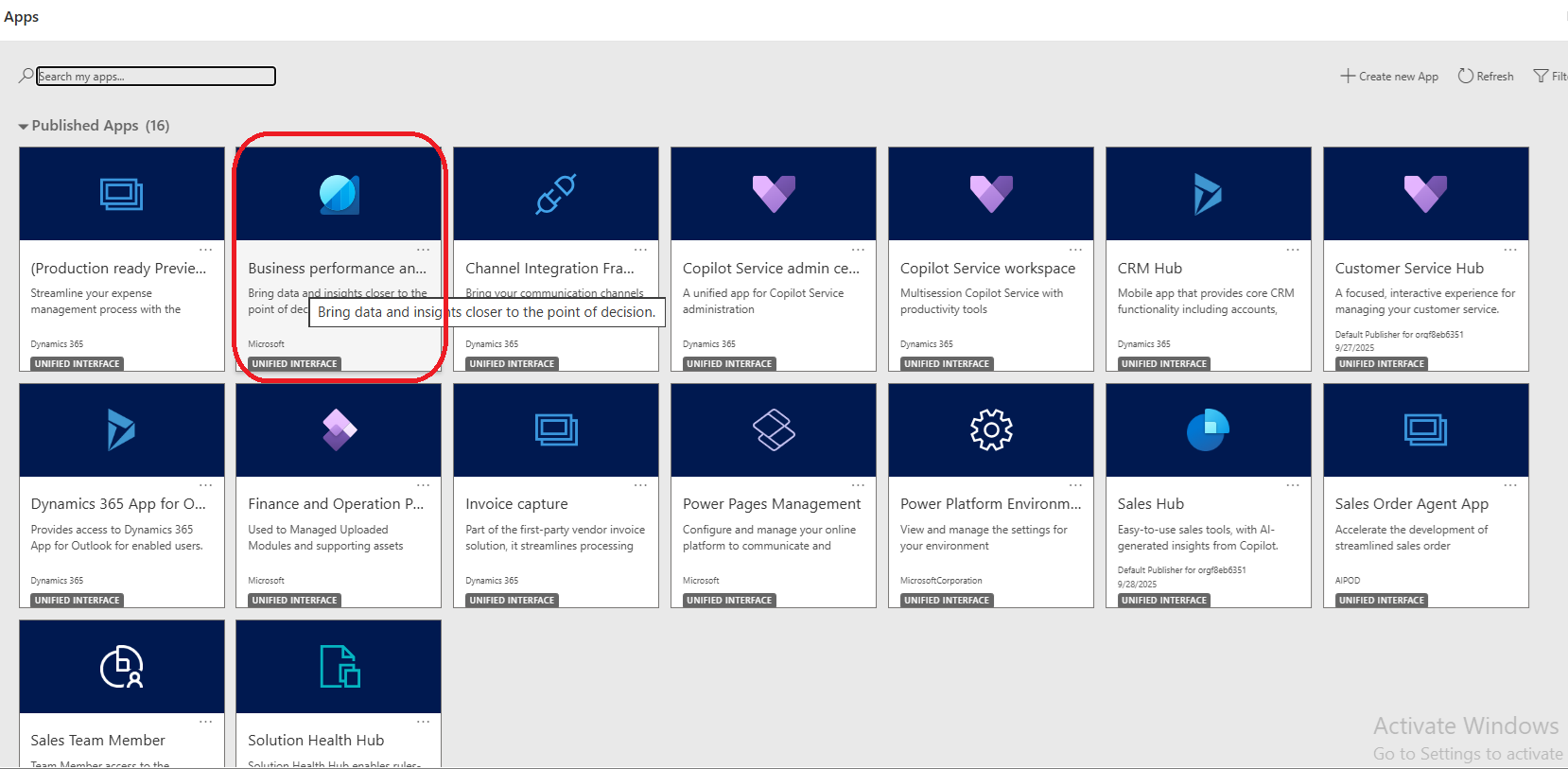
But this article is not about, but about something that recently got introduced, as a game Changer.
Data Access: Connects to BPA to expose analytical models, including fact tables, dimensions, and measures.
Security & Governance: Enforces row-level security (RLS) based on the authenticated user's role, ensuring that AI agents only access authorized data.
Use Cases: Automates tasks, performs variance detection, forecasts financial trends, and enables natural language querying of ERP data.
Integration: Works with Microsoft Copilot and Teams, as well as third-party AI agents.
D365 Finance & Operations: Version 10.0.38 or higher (10.0.47+ suggested for latest features).
Environment Type: Tier 2 sandbox, Tier 3-5 sandbox, or Unified Developer Environment. Cloud Hosted Environments (CHE) are not supported.
Allowed Clients: The MCP client (e.g., VS Code) must be registered in the "Allowed MCP Clients" form.
Authentication: Requires Microsoft Entra ID for secure authentication.

In the Tool >> Add a tool >> Go to Model Context Model Tab >> and choose MCP Server for D365 ERP Analytics using Business Performance Analytics:
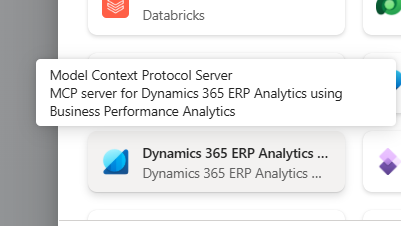
Select Configure. This will come and seat in your Tools list:
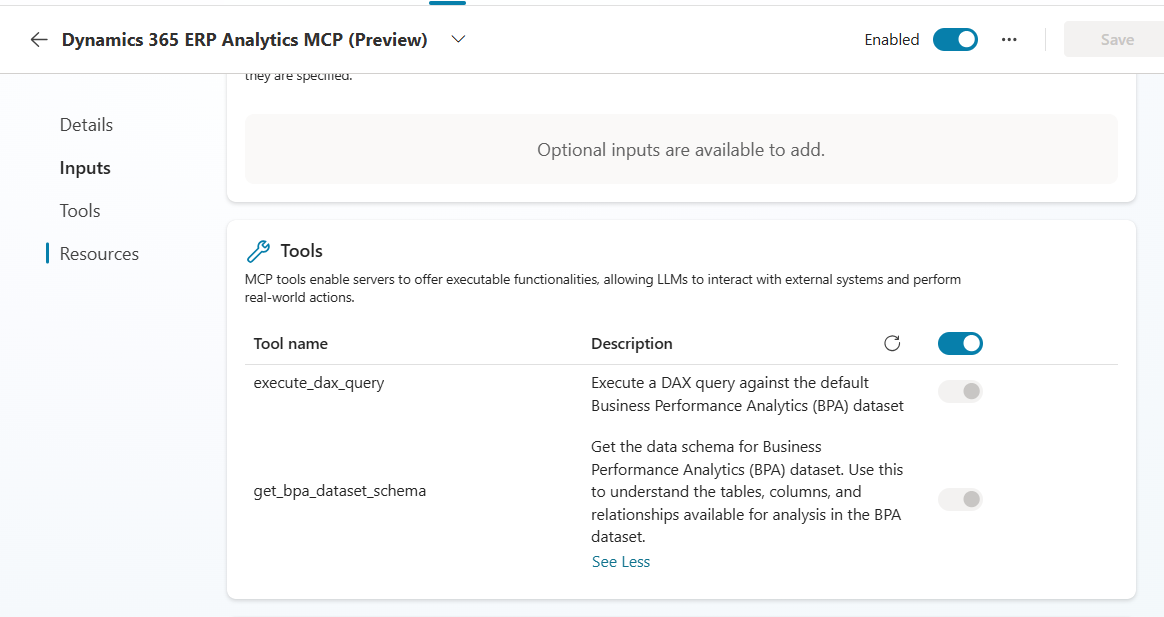
In the details >> you can see the Additional Details >>

This ensures user has correct credentials to get validated while connecting for data retrievals.
In the Settings >> Generative AI >> Ensure the Code Interpreter is turned on:
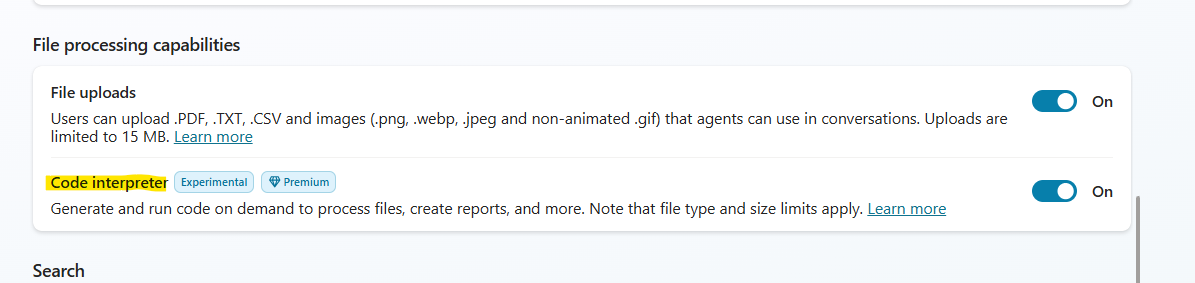
Hit Save, Publish to enable your changes to your Agent.
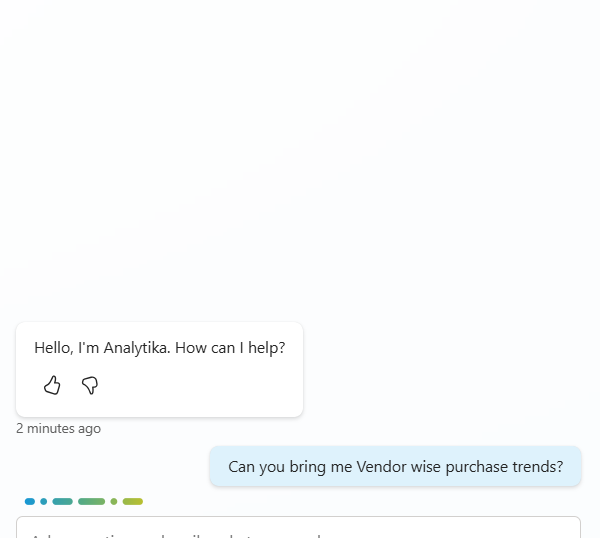
The Agent is calling the Tool to get the BPA dataset schema, and then execute the DAX query:

And the result shows up like this:
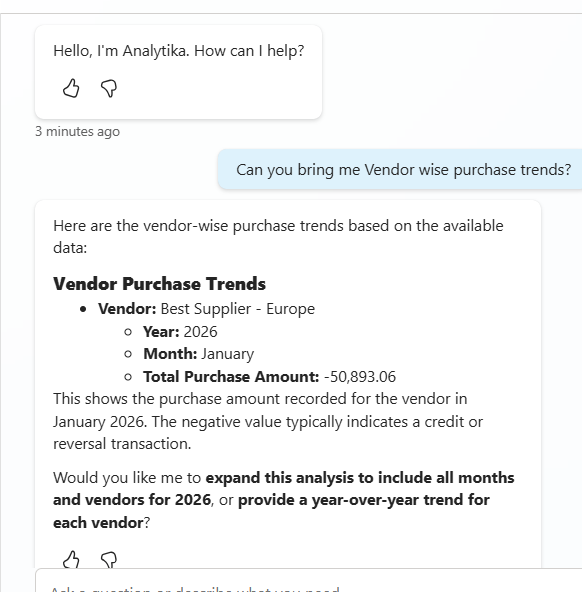
It’s also bringing you the Python code that gets called behind the hood to make the analysis:
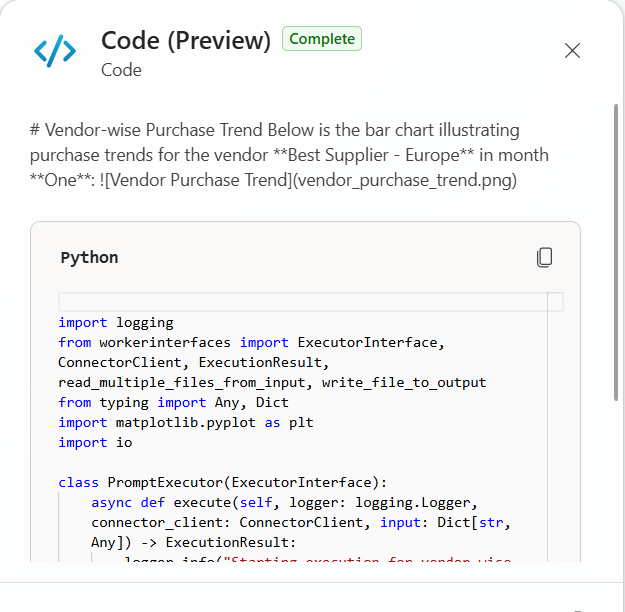
The Python gets rendered and interpreted because of the Code interpreter Checkbox settings in the Agent, as highlighted above.
You can also plot vendors’ performances:
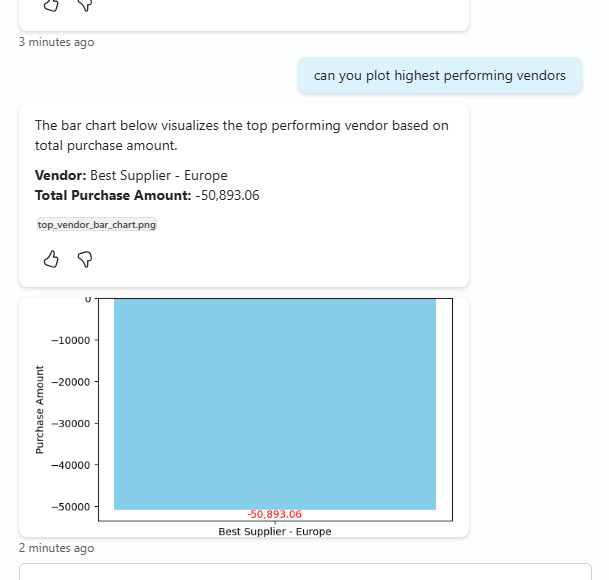
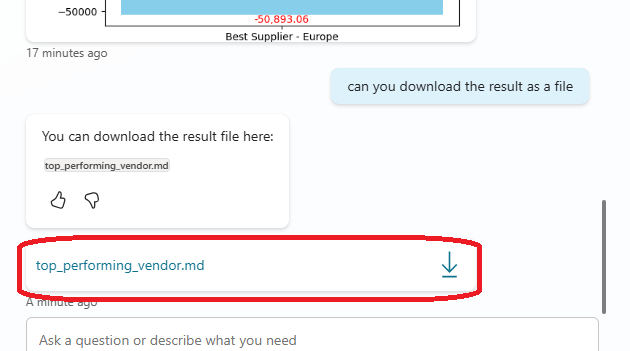
We also have the file be available readily for download:

And consequently there is a huge boost that can help you with –
With that let me conclude this. Much love and Namaste, like always J
Dynamics 365 Business Performance Analytics (BPA) is a Built-In, no cost reporting and analytics hub for Dynamics 365 Finance & Operations that provides pre-built, high-speed reports for financial and operational data. It enables users to visualize metrics like procure-to-pay and record-to-report using embedded Power BI and Excel, featuring hourly data refreshes and dimensional, role-level security.
What all it covers
• Unified Data Model: BPA breaks down data silos by creating a cohesive, dimensional data model covering key financial value chains, rather than relying on disparate, complex reporting tools.• Architecture: It utilizes an Extract, Transform, Load pipelines to move data from D365 Finance into a manageable structure, with support for Microsoft Fabric integration.
• Value Chain Focus: Reporting is organized around key business cycles: Record to Report, Procure to Pay, Order to Cash, and Acquire to Retire.
• Performance & Granularity: The tool offers high-performance queries on atomic, line-level data (e.g., individual invoice lines) rather than just summarized data.
• Accessibility & Tools: Users can access analytics directly through a web-based hub, using embedded Power BI dashboards or Excel to analyze data.
• AI and Copilot: Future capabilities include Copilot integration, allowing users to ask, "What was my invoice total for X vendor last quarter?" in natural language.
• Security & Data Retention: Role-based security controls access to data. It currently supports roughly eight quarters (two years) of rolling data.
Core Components and Capabilities
- Value Chains: Data is organized by key business processes: Record-to-Report, Order-to-Cash, Procure-to-Pay, and Acquire-to-Retire.
- Data Model: Uses a dimensional modeling approach, operating at the transaction (document) and line level for granular analysis.
- User Experience: Provides a web-based hub for accessing pre-built reports or creating custom ones using Power BI and Excel.
- Extensibility: Connects to D365 F&O, external systems, and partner solutions for a holistic view.
But this article is not about, but about something that recently got introduced, as a game Changer.
BPA MCP servers
And with the introduction of BPA MCP servers available for D365BPAs, you can have it all, letting the capabilities of BPA mingle with MCP servers.Key Aspects of D365 BPA MCP Servers:
Purpose: Enables AI agents to understand, query, and act on Dynamics 365 Finance & Operations data using the Model Context Protocol.Data Access: Connects to BPA to expose analytical models, including fact tables, dimensions, and measures.
Security & Governance: Enforces row-level security (RLS) based on the authenticated user's role, ensuring that AI agents only access authorized data.
Use Cases: Automates tasks, performs variance detection, forecasts financial trends, and enables natural language querying of ERP data.
Integration: Works with Microsoft Copilot and Teams, as well as third-party AI agents.
Key Requirements for D365 MCP Servers
Version & Environment:D365 Finance & Operations: Version 10.0.38 or higher (10.0.47+ suggested for latest features).
Environment Type: Tier 2 sandbox, Tier 3-5 sandbox, or Unified Developer Environment. Cloud Hosted Environments (CHE) are not supported.
System Configuration
Feature Management: Enable the "Dynamics 365 ERP Model Context Protocol server" feature.Allowed Clients: The MCP client (e.g., VS Code) must be registered in the "Allowed MCP Clients" form.
Authentication: Requires Microsoft Entra ID for secure authentication.
Tools/Operations supported
- execute_dax_query à this executes a DAX query against the default BPA dataset.
- get_bpa_dataset_schema à this can get you data schema for BPA dataset. You can use this to understand the tables, columns, and relationships available for analysis in the BPA dataset.
Creating new agent for BPA MCP server
Creating your Agent
Go ahead and create a new Agent in Copilot Studio, with all instructions, correct agent’s model and other supporting details:In the Tool >> Add a tool >> Go to Model Context Model Tab >> and choose MCP Server for D365 ERP Analytics using Business Performance Analytics:
Select Configure. This will come and seat in your Tools list:
In the details >> you can see the Additional Details >>
This ensures user has correct credentials to get validated while connecting for data retrievals.
In the Settings >> Generative AI >> Ensure the Code Interpreter is turned on:
Hit Save, Publish to enable your changes to your Agent.
Testing your Agent
Try out something as simple as this:The Agent is calling the Tool to get the BPA dataset schema, and then execute the DAX query:
And the result shows up like this:
It’s also bringing you the Python code that gets called behind the hood to make the analysis:
The Python gets rendered and interpreted because of the Code interpreter Checkbox settings in the Agent, as highlighted above.
You can also plot vendors’ performances:
We also have the file be available readily for download:
Working with ERP MCP server
Imagine the flexibility of your Agents to just not fetch analytics and trends, but also to perform CRUD operations too. Yes, with 10.0.46, this is possible. Include your MCP ERP agent, and BPA side by side, and publish them – maybe as Teams Agent – to interact with your users:And consequently there is a huge boost that can help you with –
- Investigate business performance analytics to highlight operational challenges, and respond by activating Finance and Operations processes in Dynamics 365 through the ERP MCP server.
- Begin with an operational process in Dynamics 365 Finance and Operations, and then enhance your decision‑making by leveraging Business Performance Analytics insights. For example, when managing purchase requisitions, you can use vendor performance analytics to identify the most reliable suppliers and optimize the approval and procurement workflow.
With that let me conclude this. Much love and Namaste, like always J
*This post is locked for comments