web
You’re offline. This is a read only version of the page.
close
Skip to main content

Announcements

No record found.

News and Announcements icon
Community site session details

Community site session details

Session Id :
Microsoft Dynamics 365 | Integration, Dataverse...
Suggested Answer

How to trigger a flow when an item has been set "regarding" to an incident/case !

(0) ShareShare
ReportReport
Posted on by 40

Hi there.
I have a flow which uploads all attatchments from an email to a sharepoint site, however this does not trigger when the users manually set the field "Regarding" on an email to an actual incident/case ?
Do anybody know what entity I have to look at to catch this?

I have the same question (0)
  • Suggested answer
    Community Member Profile Picture
    on at

    Hi DuckyDev_IU,

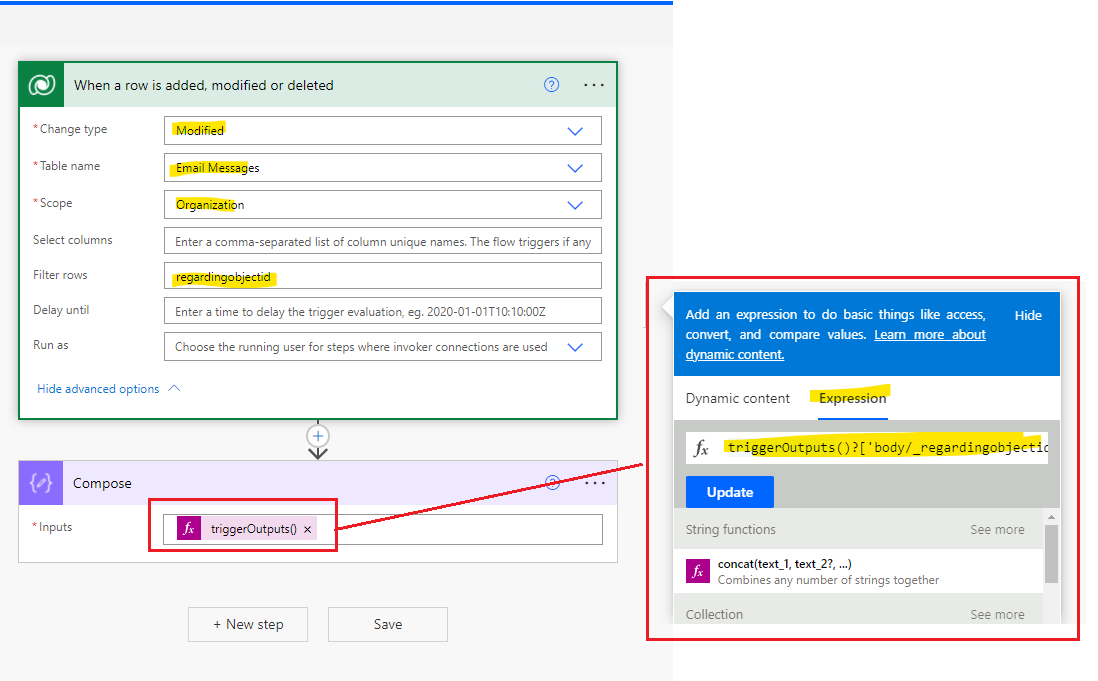
    You can set flow as following screenshot:

    To get the type of the field regarding. We must use the following expression:

    triggerOutputs()?[‘body/_regardingobjectid_type’]
    pastedimage1635143039336v2.png

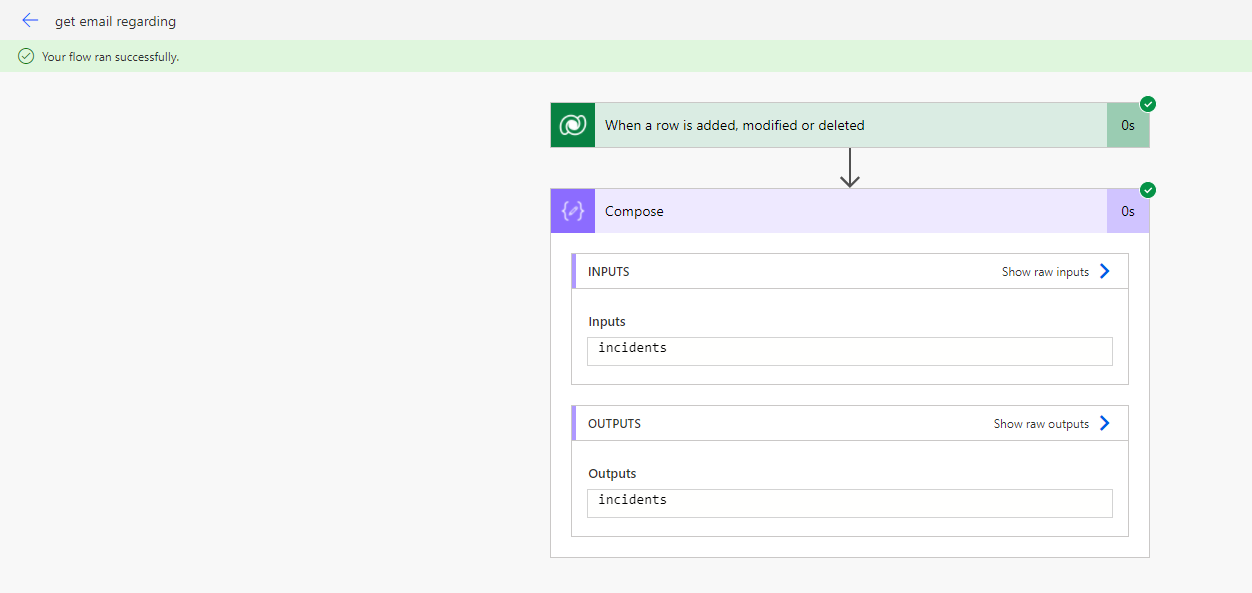
    Result:

    pastedimage1635142929484v1.png

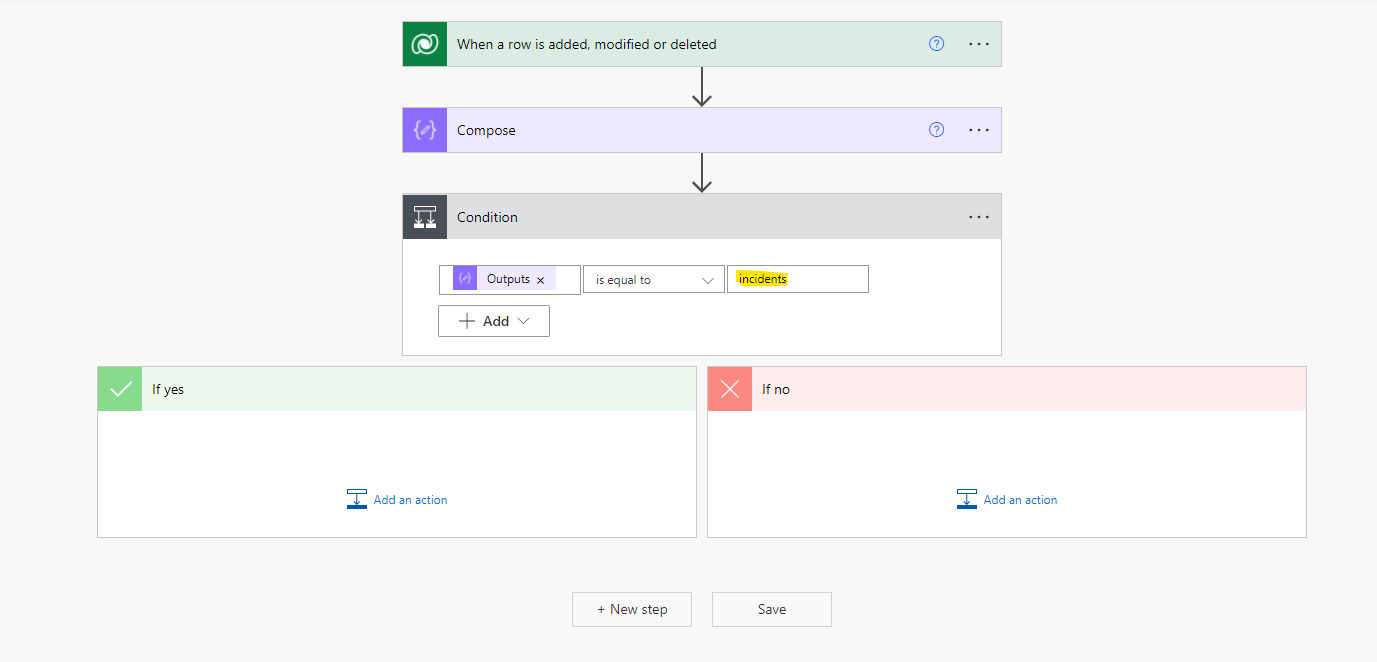
    Then you can set regarding type as condition, only type is incident can continue:
    pastedimage1635143251773v3.png

  • DuckyDev_IU Profile Picture
    40 on at

    I would also assume that this would work, however the flow is not triggered when a Item in the queue is set regarding an incident/case

    [quote user="Leah Ju"]

    Hi DuckyDev_IU,

    You can set flow as following screenshot:

    To get the type of the field regarding. We must use the following expression:

    triggerOutputs()?[‘body/_regardingobjectid_type’]

    pastedimage1635143039336v2.png

    Result:

    pastedimage1635142929484v1.png

    Then you can set regarding type as condition, only type is incident can continue:

    pastedimage1635143251773v3.png

    [/quote]
  • Community Member Profile Picture
    on at

    Hi,

    Queue? It seems that you did not mention in your previous description.

    Can you share screenshots of the flow you created if possible?

  • DuckyDev_IU Profile Picture
    40 on at

    Damn, I must have deleted that paragraph without knowing it.

    So the big issue is that some emails will land in a queue, however some of thoose emails are regarding a case/incident ( this happends because of the user of the system which is out of my hands). These email then need to be set regarding a case/incident. But changing the regarding field does not trigger the flow.

    Screenshot-2021_2D00_10_2D00_26-at-10.16.15.png

  • Community Member Profile Picture
    on at

    Hi DuckyDev_IU,

    You mean the flow can't be trigger when the regarding field of email has been changed.

    It's so strange, my flow can be trigger in my test.

    Note: after creating the flow, you need refresh email view page to test it. 

Under review

Thank you for your reply! To ensure a great experience for everyone, your content is awaiting approval by our Community Managers. Please check back later.

Helpful resources

Quick Links

Introducing the 2026 Season 1 community Super Users

Congratulations to our 2026 Super Stars!

Meet the Microsoft Dynamics 365 Contact Center Champions

We are thrilled to have these Champions in our Community!

Congratulations to the April Top 10 Community Leaders

These are the community rock stars!

Leaderboard > Microsoft Dynamics 365 | Integration, Dataverse, and general topics

#1
11manish Profile Picture

11manish 85

#2
André Arnaud de Calavon Profile Picture

André Arnaud de Cal... 76 Super User 2026 Season 1

#3
Subra Profile Picture

Subra 61

Last 30 days Overall leaderboard

Product updates

Dynamics 365 release plans